Natural voices
Clear, natural narration instead of a robotic monotone.
Read aloud
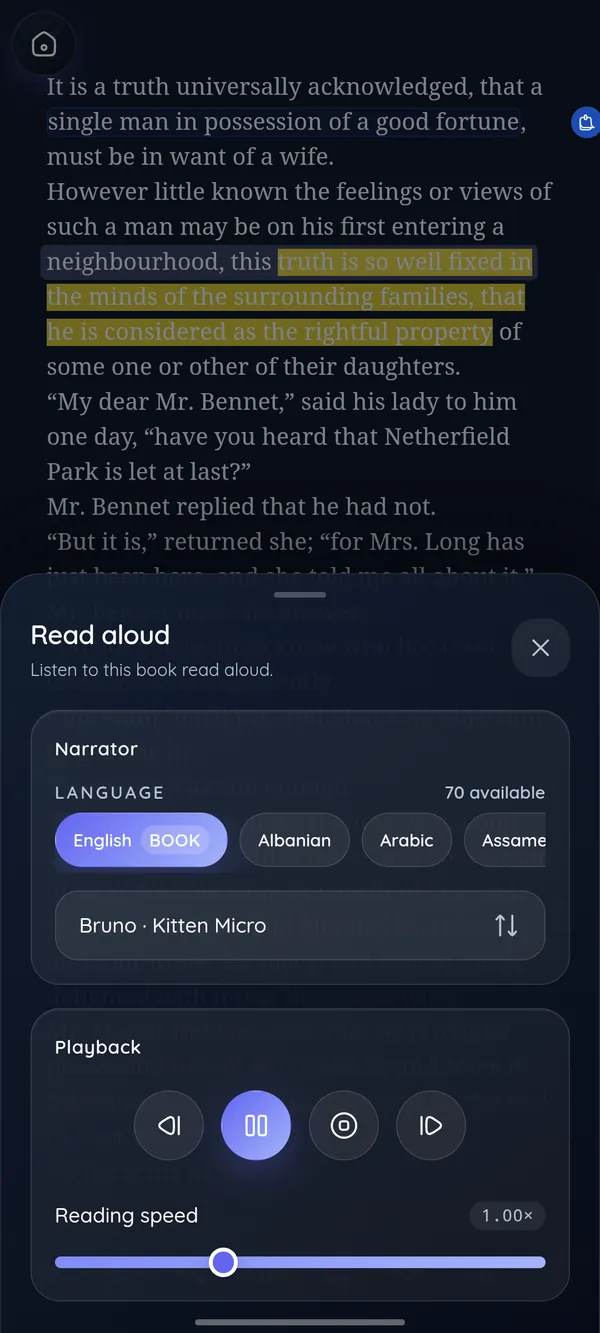
Some days your eyes are tired, your hands are busy, or the story is too good to put down. DeltaScroll reads any book in your library aloud with natural voices, highlighting each sentence as it goes.
How it works
Any EPUB, PDF or DOCX in your library.
Pick a narrator and a speed that suits you.
Each sentence lights up as it is spoken, and your place is kept.
What you get
Clear, natural narration instead of a robotic monotone.
Read books in many languages with a matching voice.
The sentence being read is highlighted on the page.
Slow down for study, or speed up for a story you know.
Stop listening and carry on reading from the same sentence.
EPUB, and PDF or DOCX after they are converted into books.
Read aloud
Listening while you follow the highlighted text helps with focus, with learning a language and with dyslexia. It also turns a commute, a walk or the washing-up into reading time.
Questions
Yes. Read-aloud is part of DeltaScroll at no cost, with no account.
On Android, read-aloud supports 70 languages. Available voices on Windows and the web depend on the voices on your device and browser.
Yes. Once a PDF is converted into a book in your library, read-aloud works on it like any other book.
On Windows, the natural voices run on your computer, so read-aloud works offline. On other devices it depends on the voices installed.
Keep exploring
DeltaScroll is a private ebook reader for Android, Windows and the web. Read EPUB, PDF and DOCX books offline, listen aloud and keep notes, with no account.
EPUB readerOpen EPUB books on Android, Windows or in your browser. DeltaScroll gives you page curls, five themes, six fonts, highlights and read-aloud, all offline.
PDF readerRead PDFs comfortably on a phone or PC. DeltaScroll turns text PDFs into reflowing books with chapters, so you can change the font, highlight and listen.
Free classicsDownload free classic ebooks inside DeltaScroll: new Standard Ebooks editions every week and over 70,000 public-domain books from Project Gutenberg.
Get DeltaScroll
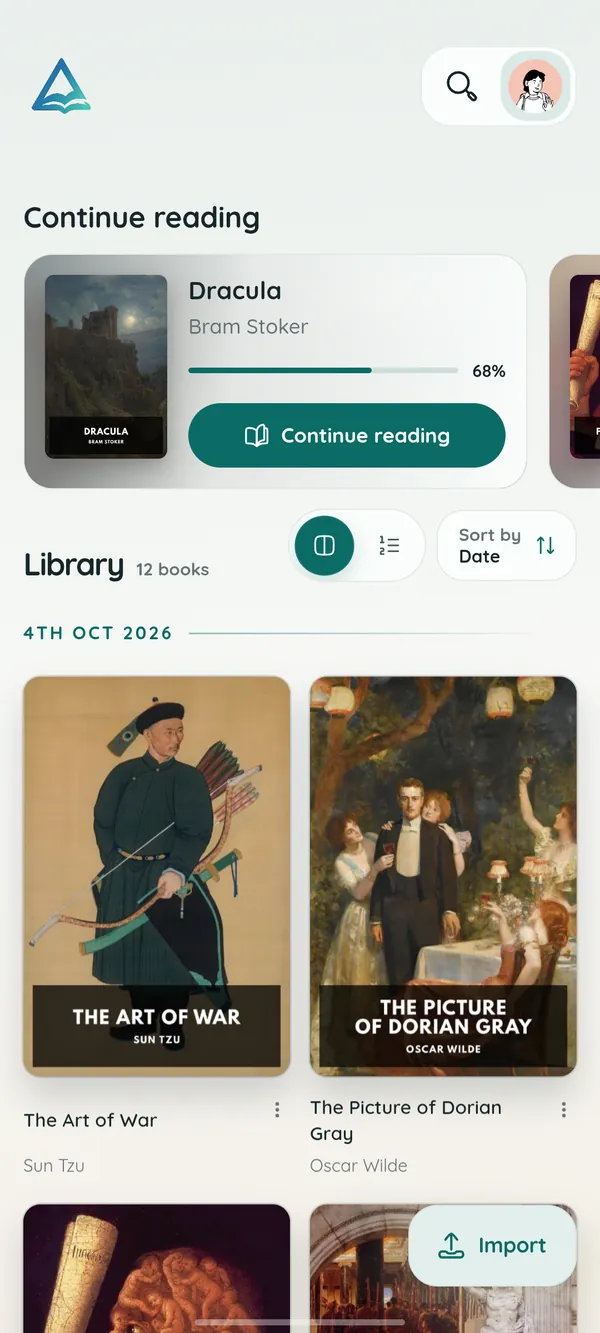
Your library in your pocket, with page turns that feel like paper and read-aloud for the commute.
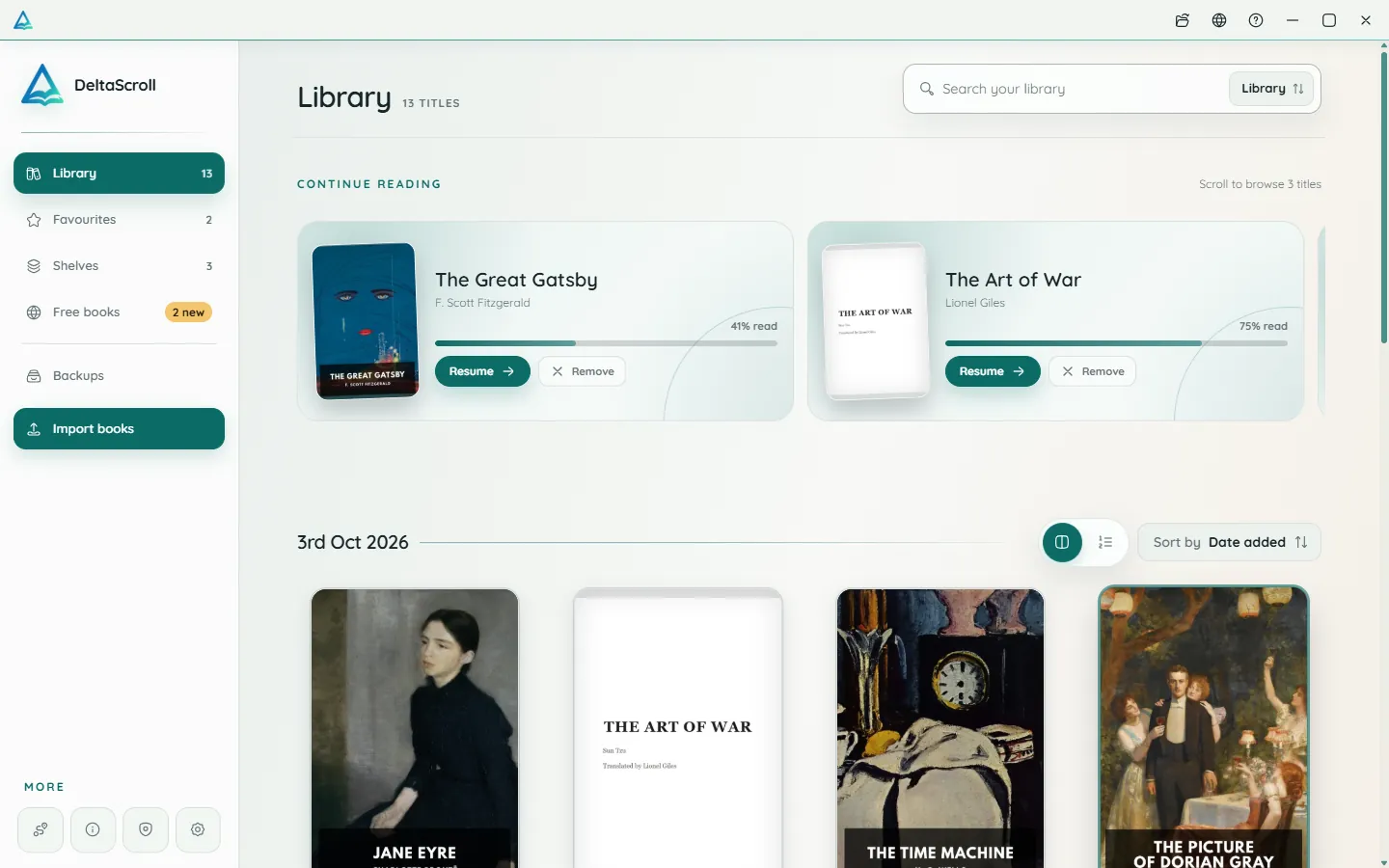
A focused desktop reader with tabs for your books, natural voices and local PDF and DOCX conversion.
Open your library in any modern browser. Install it as an app if you like, and keep reading offline.
DeltaScroll is free to use, with no account and no ads. Pick your device and start reading.