Reflowing text
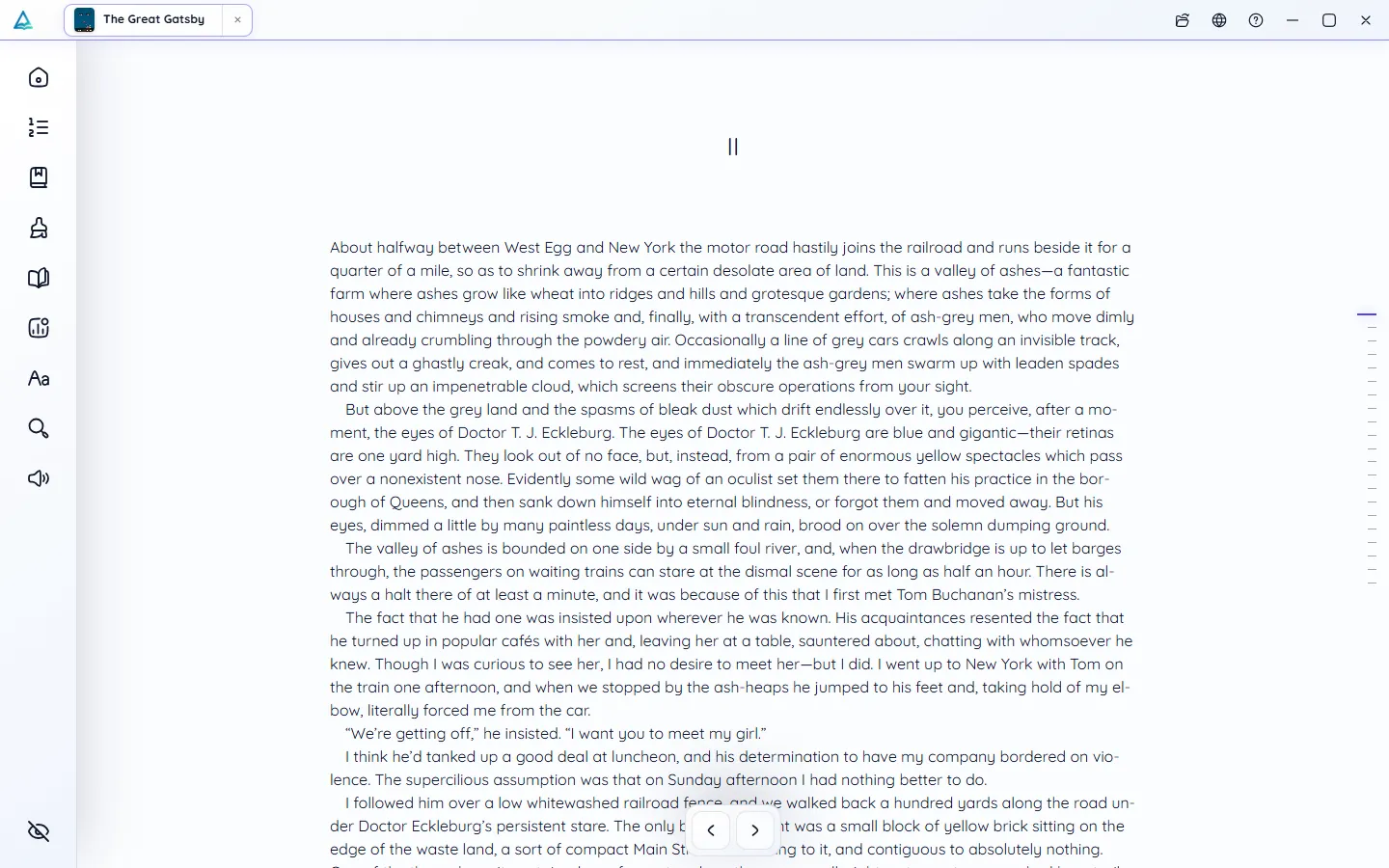
No more pinching and panning: lines wrap to fit the screen you are holding.
PDF reader
PDFs are made for printing, not for reading on a screen. DeltaScroll turns a PDF into a book whose text flows to fit your phone or monitor, with chapters you can jump between and a font you can change.
How it works
Choose a PDF on your phone, PC or in the web reader.
It finds the chapters, keeps the figures and makes a cover, on your device.
Text reflows to your screen, in the theme, font and size you choose.
What you get
No more pinching and panning: lines wrap to fit the screen you are holding.
Headings become a table of contents you can navigate.
Images and diagrams from the PDF stay in the book.
PDFs of up to 2,000 pages can be converted.
Highlights, notes, search and read-aloud work just as they do in any book.
The PDF never leaves your device. Nothing is uploaded.
PDF reader
DeltaScroll reads the text inside a PDF. It works best with PDFs created from documents or ebooks. Scanned PDFs that contain only page images are not supported yet.
Questions
Yes. DeltaScroll turns the PDF into a reflowing book, so you can change the font, size, spacing and theme like any ebook.
No. The PDF is converted on your own device, and the resulting book is stored there too.
Not yet. DeltaScroll needs the text inside the PDF. Scanned PDFs made only of page images cannot be converted for now.
Yes. Once the PDF is in your library, read-aloud works on it like any other book.
Keep exploring
Convert PDF to EPUB on your own device, with no upload. DeltaScroll finds chapters, keeps images and builds a cover, then opens the book ready to read.
DOCX readerOpen Word documents on your phone, PC or browser and read them like a book. DeltaScroll turns DOCX files into chapters with themes, notes and read-aloud.
Read aloudListen to your books with DeltaScroll. Natural voices read EPUB, PDF and DOCX books aloud, each sentence lights up as it is read, and you set the speed.
EPUB readerOpen EPUB books on Android, Windows or in your browser. DeltaScroll gives you page curls, five themes, six fonts, highlights and read-aloud, all offline.
Get DeltaScroll
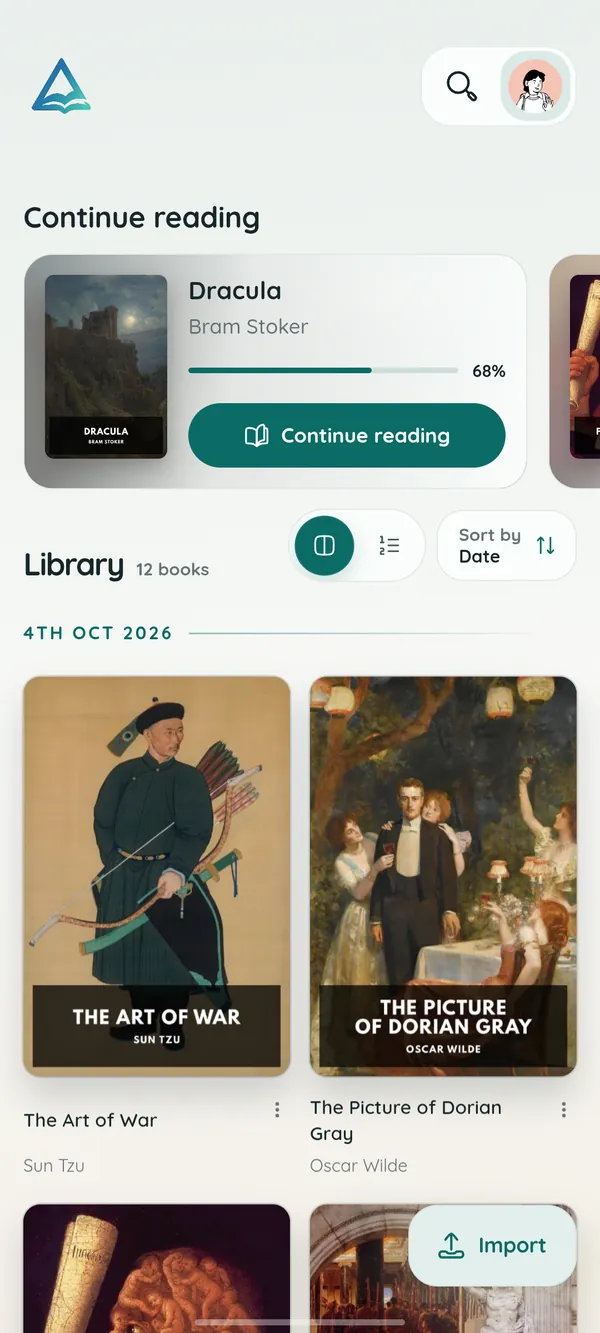
Your library in your pocket, with page turns that feel like paper and read-aloud for the commute.
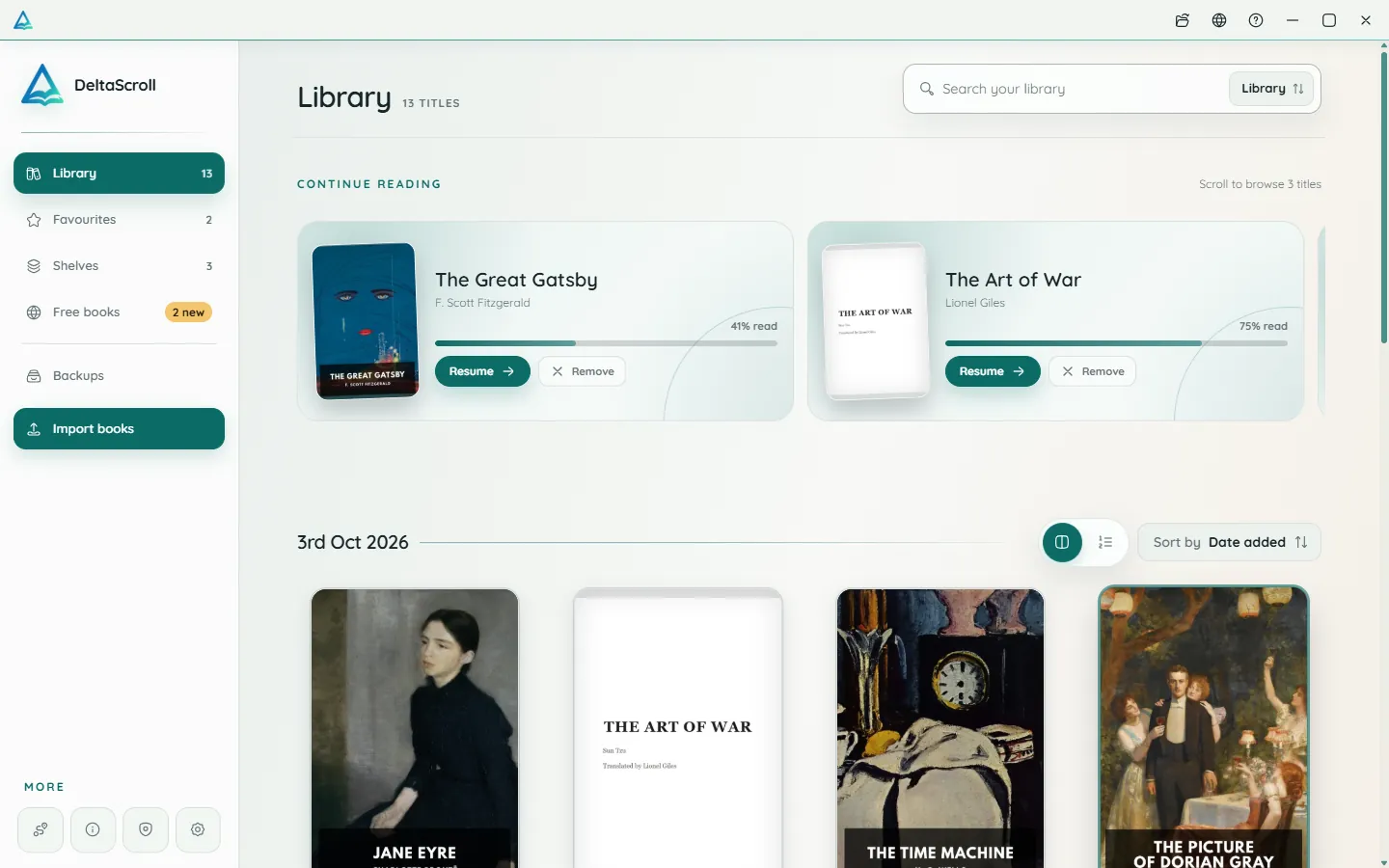
A focused desktop reader with tabs for your books, natural voices and local PDF and DOCX conversion.
Open your library in any modern browser. Install it as an app if you like, and keep reading offline.

DeltaScroll is free to use, with no account and no ads. Pick your device and start reading.