Page curls or scrolling
Turn pages like a printed book, or scroll smoothly through a chapter.
EPUB reader
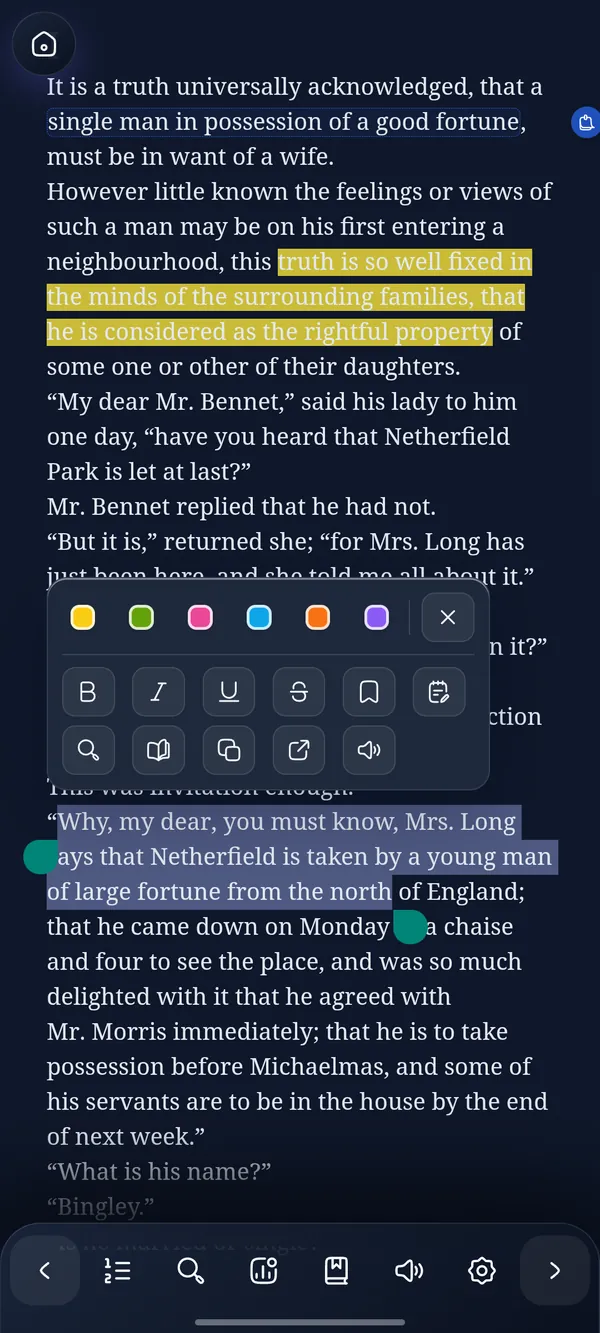
EPUB is the open format most ebooks come in. DeltaScroll opens it as the author intended, then lets you set the page the way you like to read: the theme, the font, the size and the spacing.
How it works
From your files, from another app's share menu, or with Import in the web reader.
Pick a theme and a font, then adjust the size and line spacing.
Continue reading opens every book at the exact place you stopped.
What you get
Turn pages like a printed book, or scroll smoothly through a chapter.
Light, Dark, Fire, Moonrise and Glacier, each tuned for long reading.
Serif and sans-serif choices with adjustable size and line spacing.
Jump between chapters and find any word or phrase in the book.
Six highlight colours, notes, bookmarks and a dictionary for unfamiliar words.
Turn your favourite lines into quote cards to share.
EPUB reader
DeltaScroll keeps the book's own chapters, headings and images, and keeps its pages calm. There are no pop-ups and no store inside your book, only the text and the tools you reach for.
Questions
Install DeltaScroll on Android or Windows, or open the web reader, then import the EPUB. On Android you can also open it from your file manager or share it from another app. On Windows, double-click it in File Explorer.
Yes. DeltaScroll is free to use, with no ads and no account, on Android, Windows and the web.
Yes. Once an EPUB is in your library it opens without an internet connection.
No. DeltaScroll opens DRM-free EPUB files, such as books from Standard Ebooks, Project Gutenberg, many independent stores and your own files.
Keep exploring
DeltaScroll is a private ebook reader for Android, Windows and the web. Read EPUB, PDF and DOCX books offline, listen aloud and keep notes, with no account.
PDF readerRead PDFs comfortably on a phone or PC. DeltaScroll turns text PDFs into reflowing books with chapters, so you can change the font, highlight and listen.
DOCX readerOpen Word documents on your phone, PC or browser and read them like a book. DeltaScroll turns DOCX files into chapters with themes, notes and read-aloud.
Free classicsDownload free classic ebooks inside DeltaScroll: new Standard Ebooks editions every week and over 70,000 public-domain books from Project Gutenberg.
Get DeltaScroll
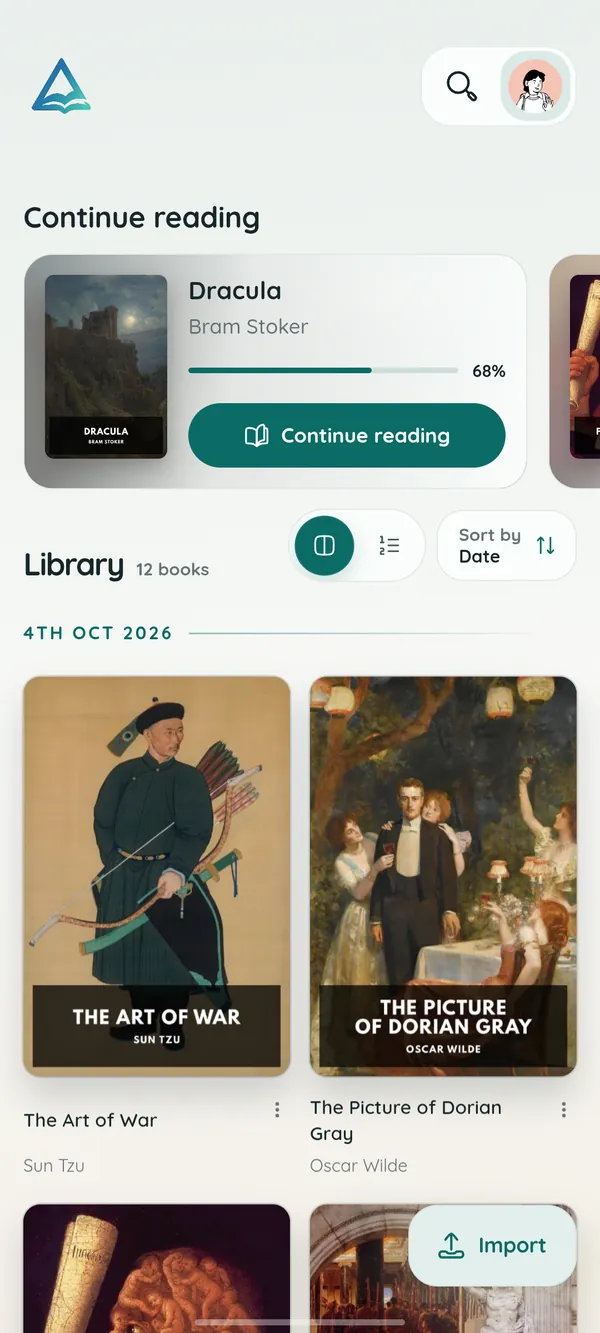
Your library in your pocket, with page turns that feel like paper and read-aloud for the commute.
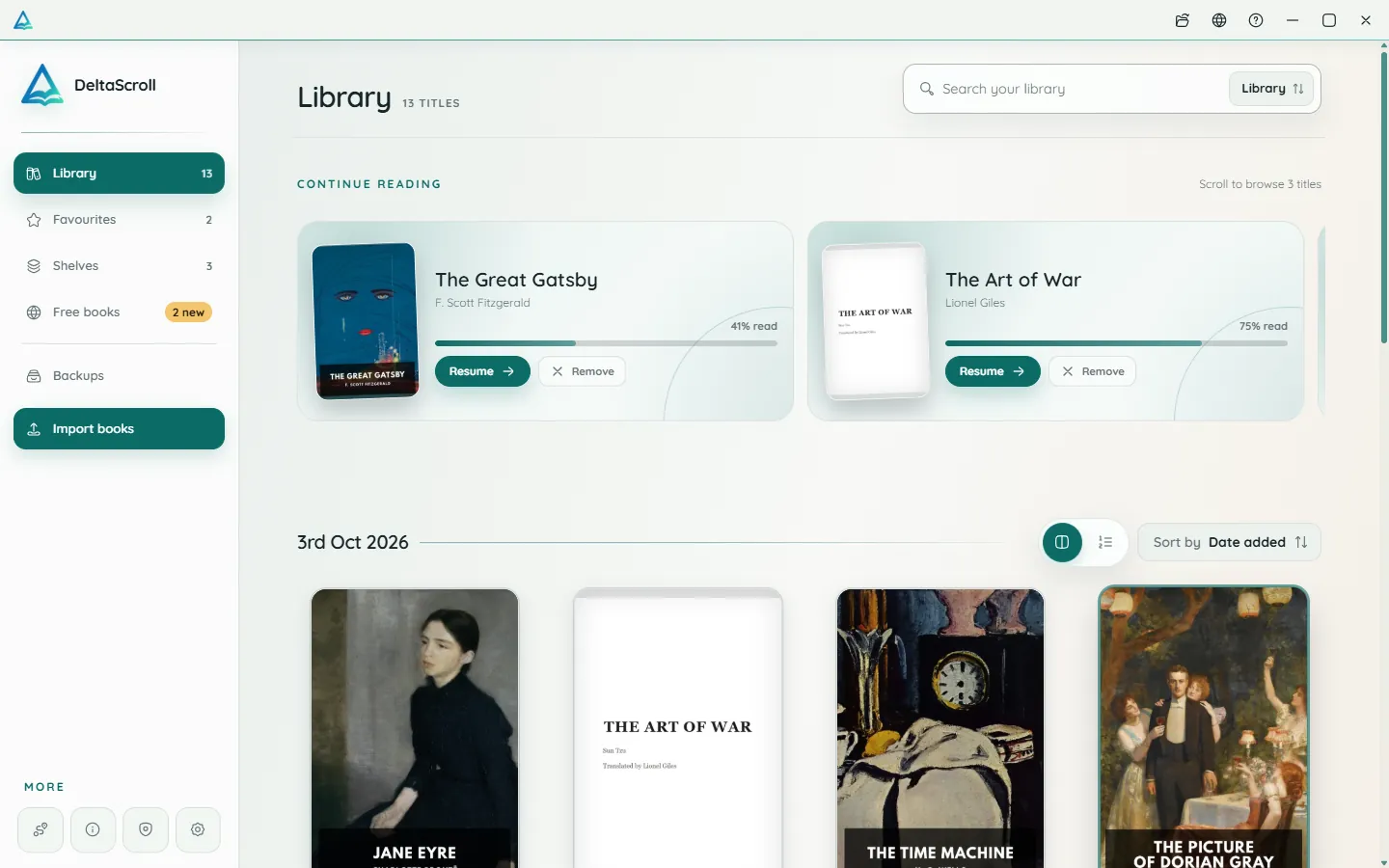
A focused desktop reader with tabs for your books, natural voices and local PDF and DOCX conversion.
Open your library in any modern browser. Install it as an app if you like, and keep reading offline.
DeltaScroll is free to use, with no account and no ads. Pick your device and start reading.